
Lead the swarm.
halay is a web app that runs on your own machine and drives coding agents for you: Claude Code, OpenCode, Cursor and Antigravity. Talk to one conductor chat, and it starts, directs and checks on agents across all your folders.

01 What it is
A terminal tab per agent stops working somewhere around the third one. halay puts them all in one UI.
It is a Node server that runs the agent CLIs you already have installed, one process per folder, and serves a web UI for them. You can use it from your desk or your phone. Each agent can also start, message and collect other agents, so you can hand the juggling to a conductor and step in whenever you want.
- Runs on
- macOS and Linux (Windows is not supported yet)
- Needs
- Node.js 22 or newer (24 or 26 recommended), git, and at least one agent CLI
- Listens on
127.0.0.1by default- License
- Apache-2.0, source on GitHub
02 Features
-
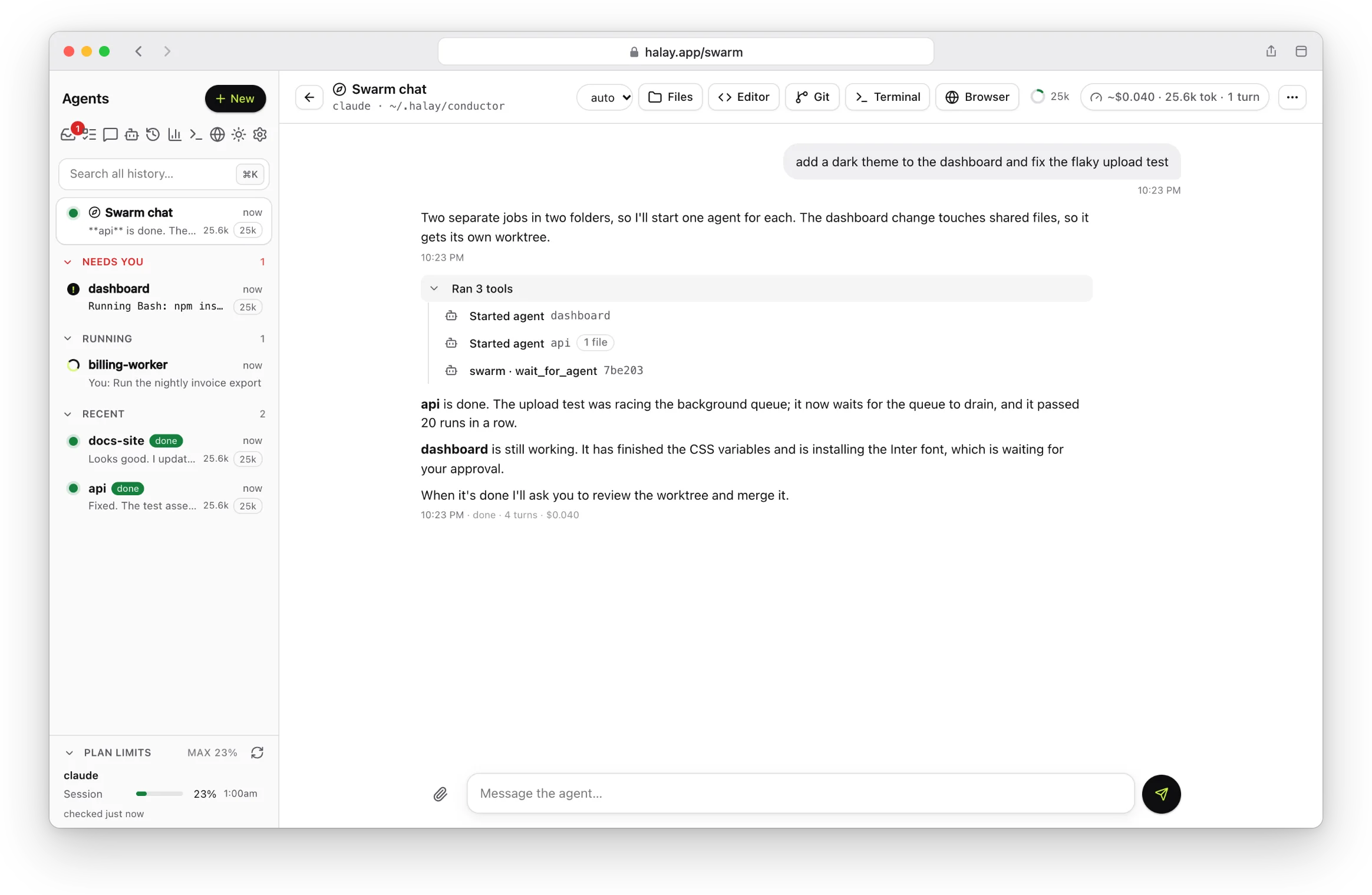
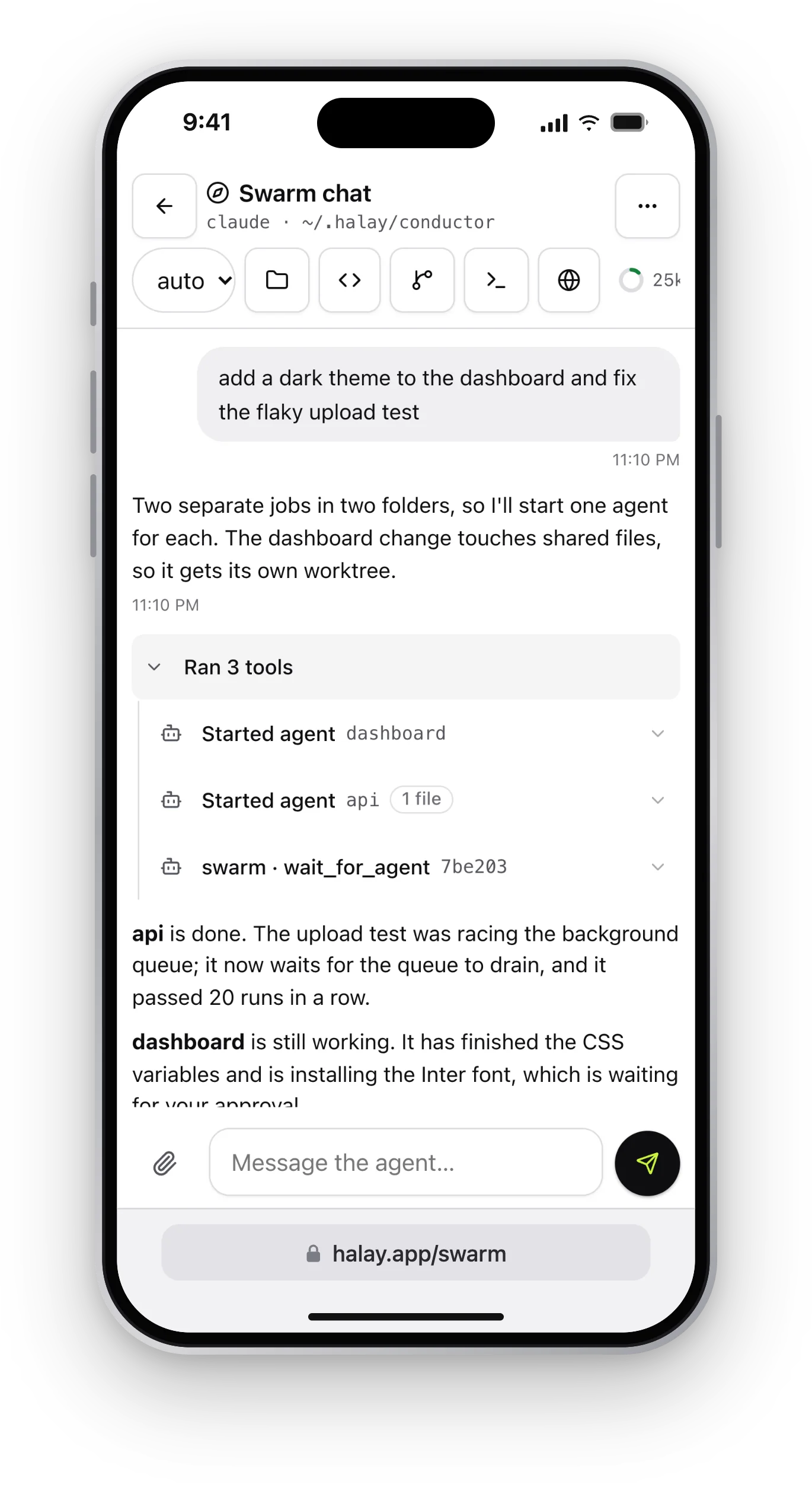 Screenshot placeholder/img/screenshot-conductor.webp · 2328×1518
The conductor Tell it what you want. It starts agents in the right folders and reports back. -
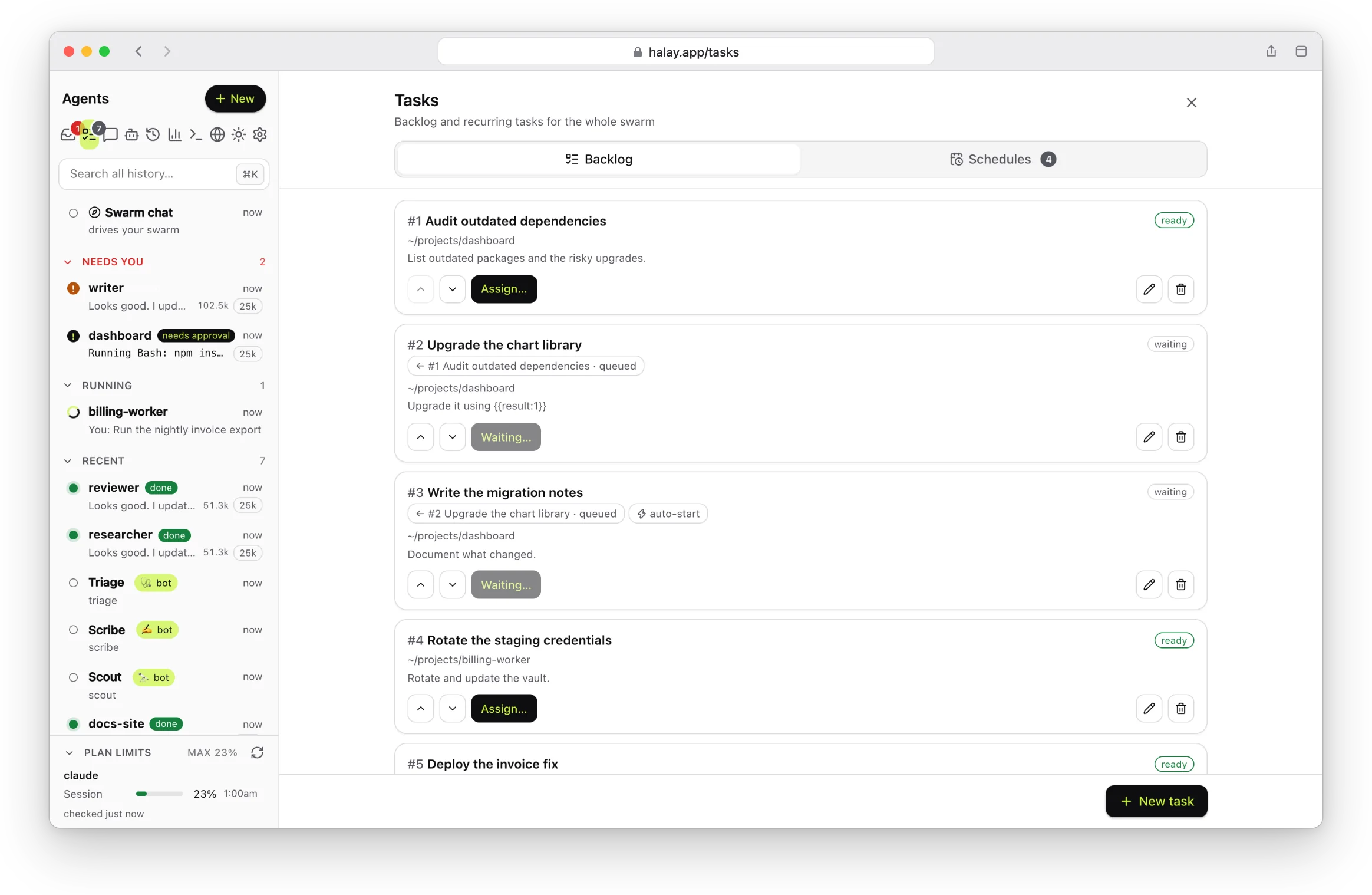
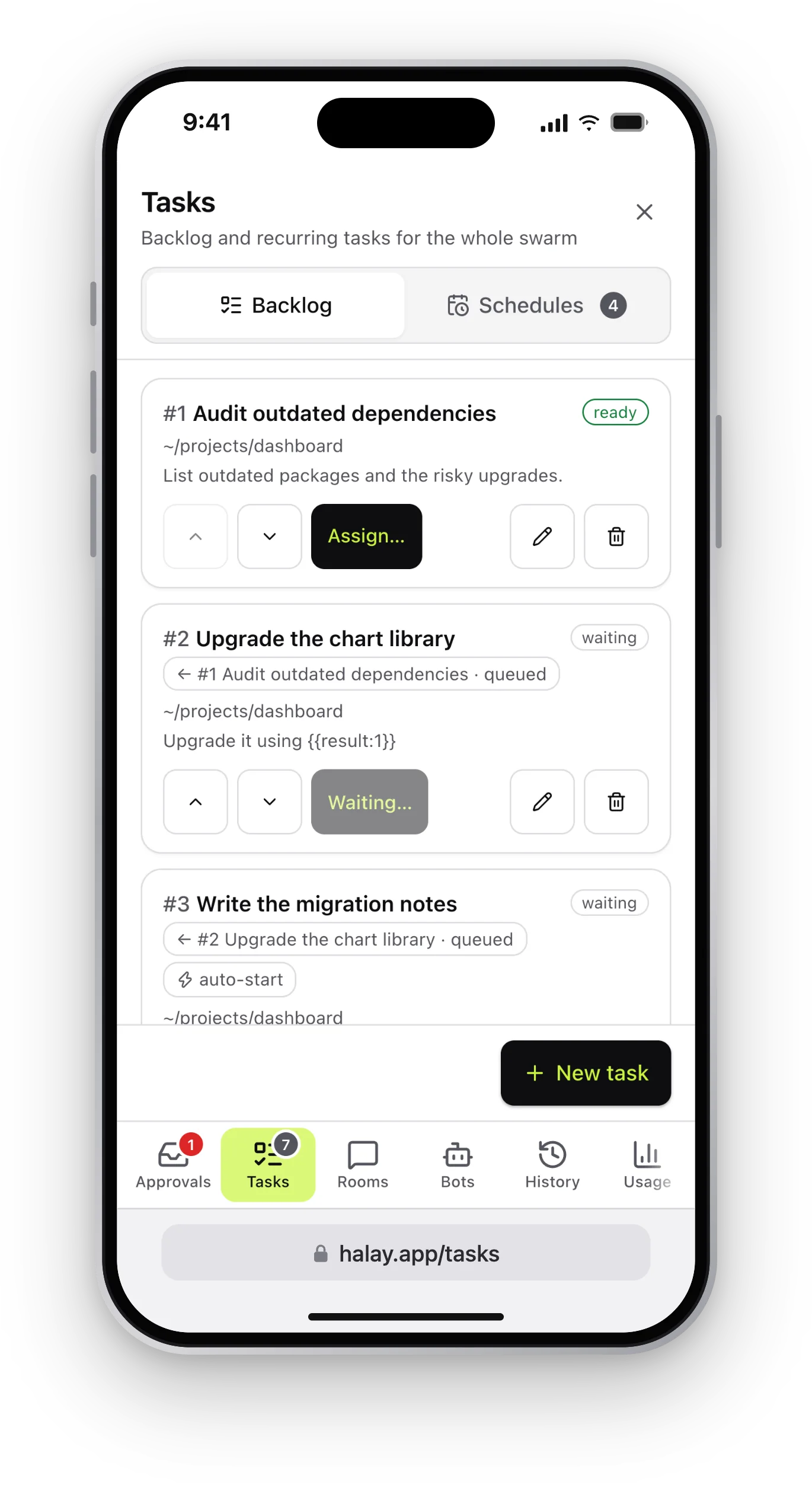 Screenshot placeholder/img/screenshot-tasks.webp · 2328×1518
Task backlog Queue work with dependencies. A task starts when the ones it waits for are done. -
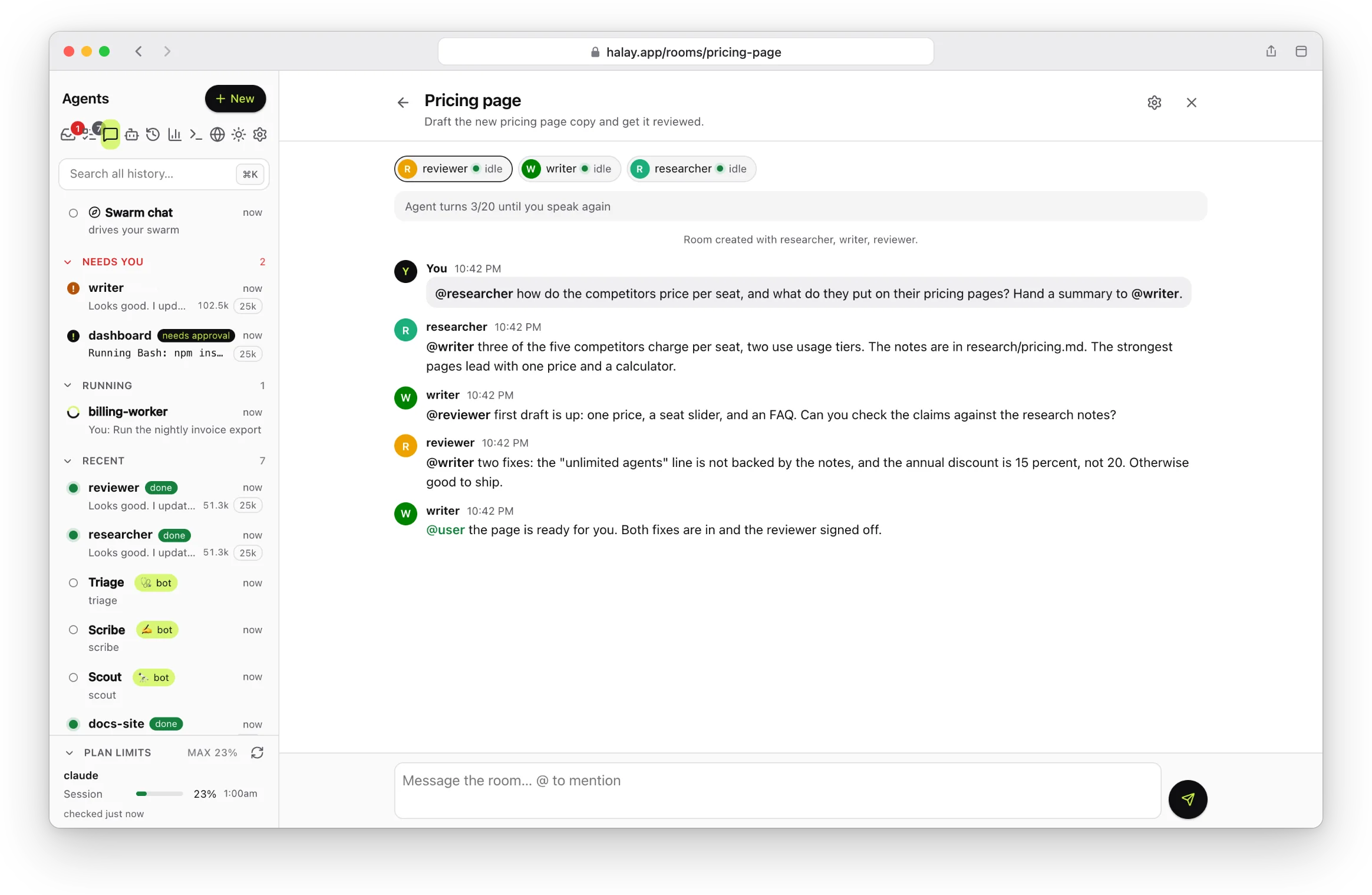
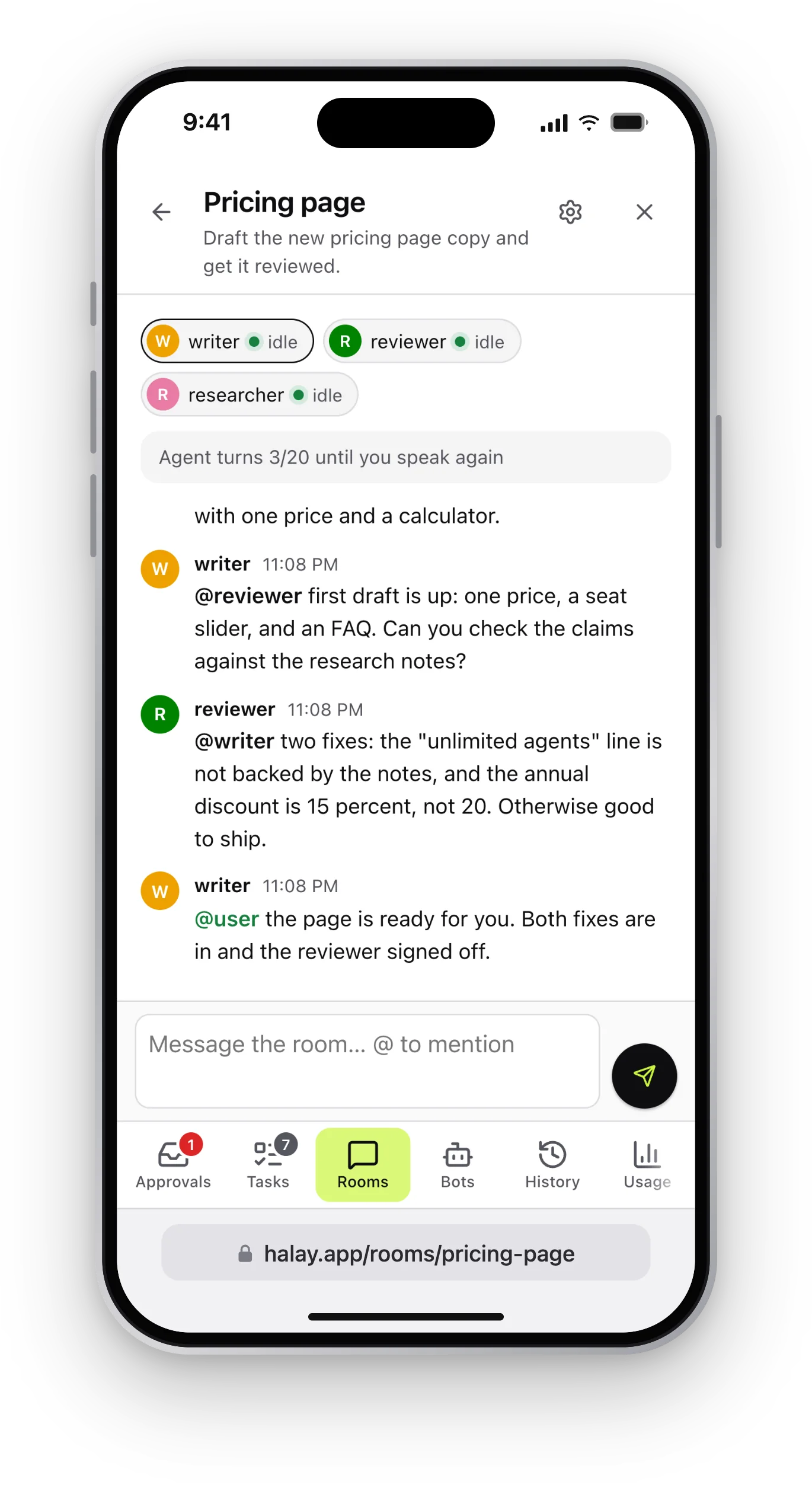 Screenshot placeholder/img/screenshot-rooms.webp · 2328×1518
Rooms Put agents in a room and let them talk it through, with a turn limit until you speak again. -
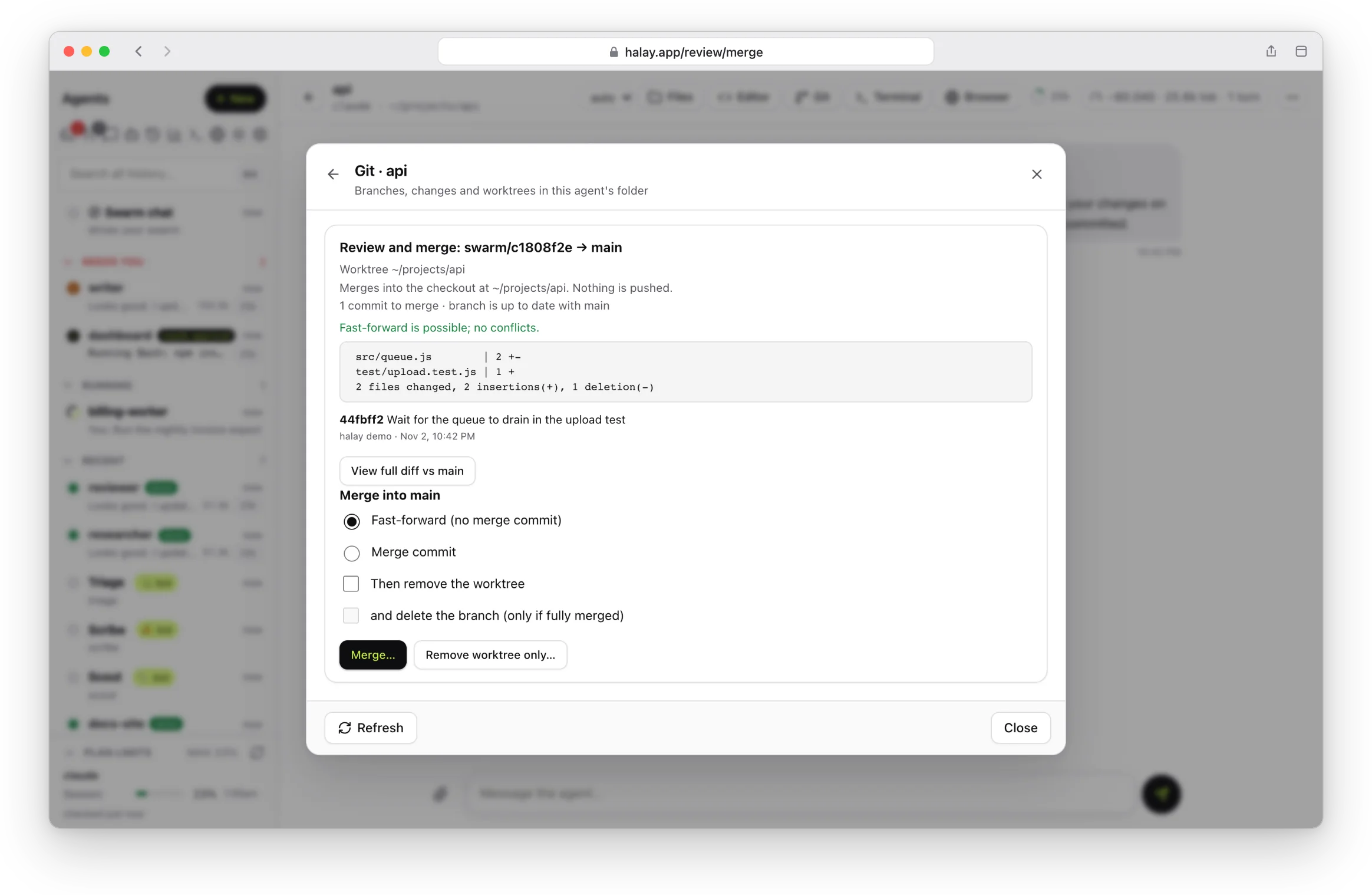
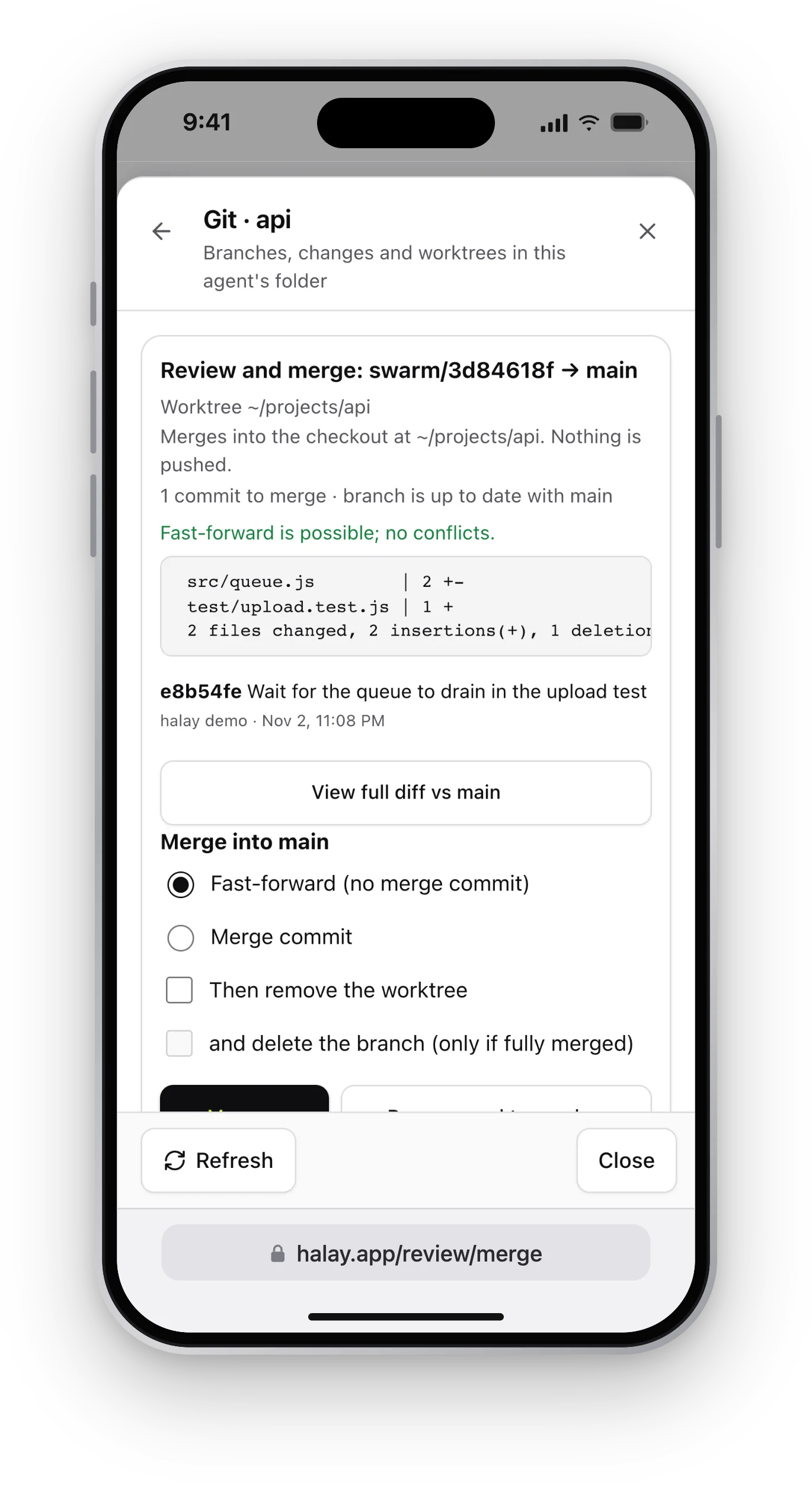 Screenshot placeholder/img/screenshot-git.webp · 2328×1518
Review and merge Agents work in their own worktrees. See what changed, then merge or throw it away. -
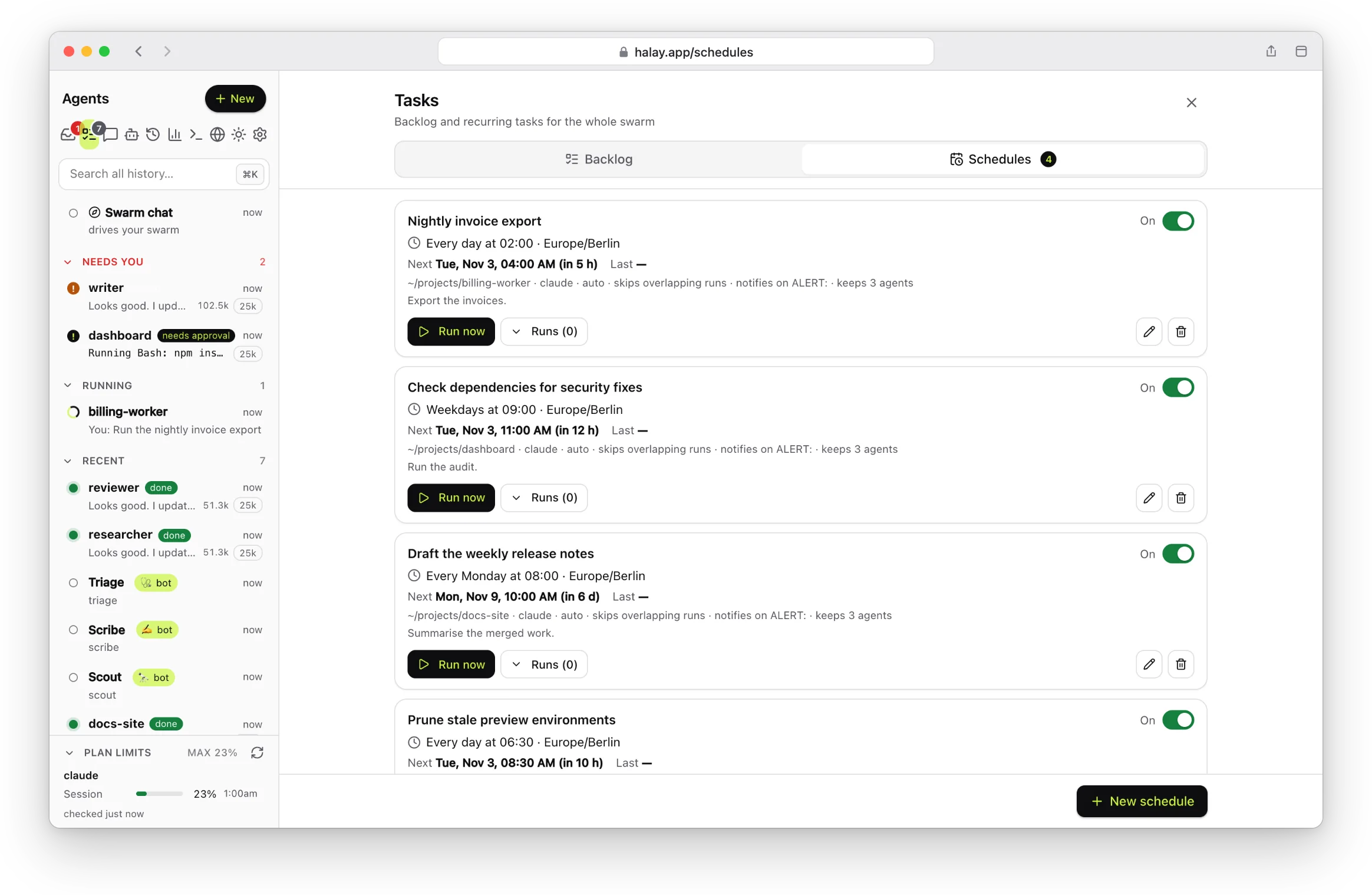
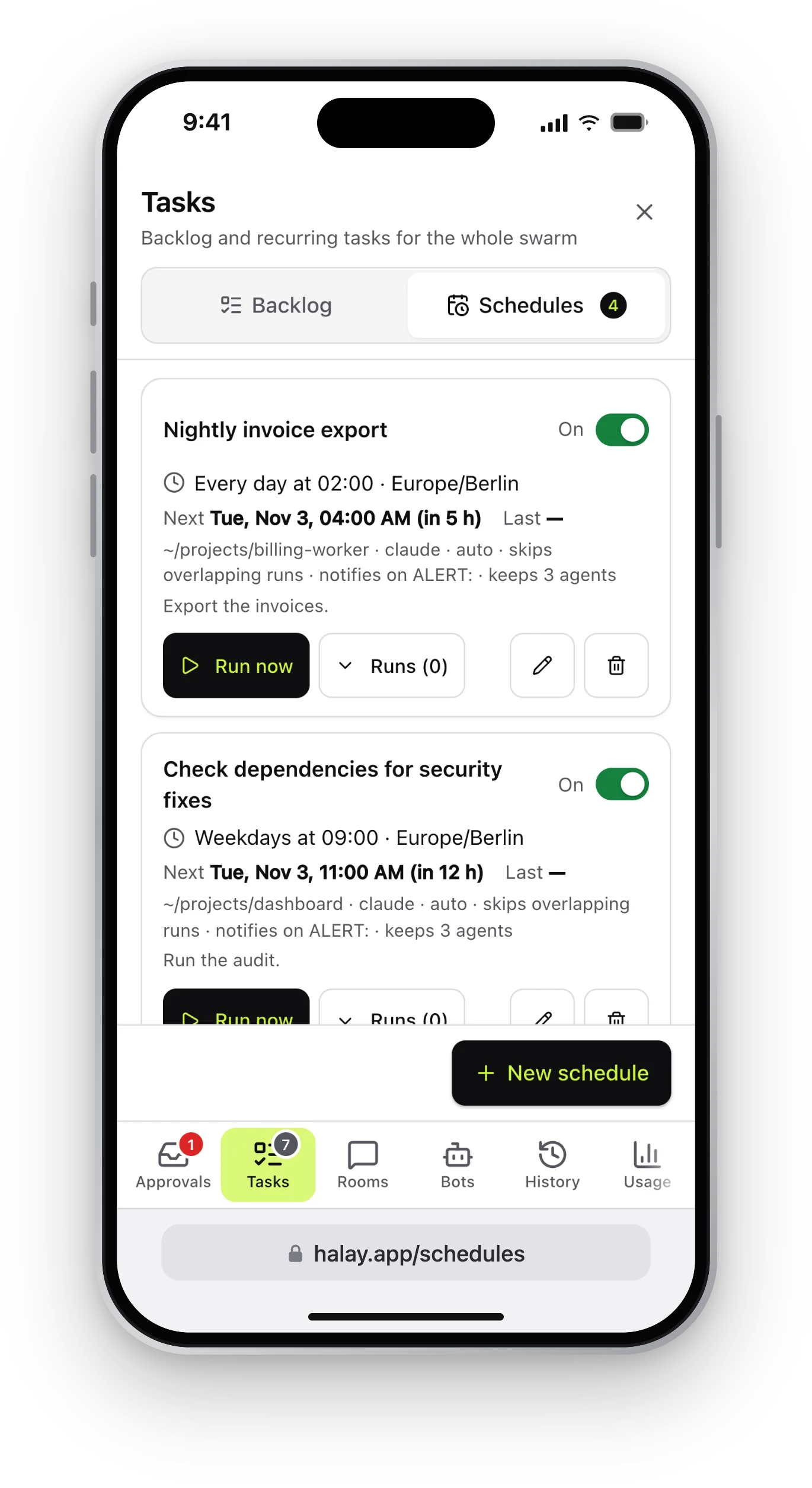 Screenshot placeholder/img/screenshot-schedules.webp · 2328×1518
Schedules Recurring runs on a cron, in your time zone, with the next run shown. -
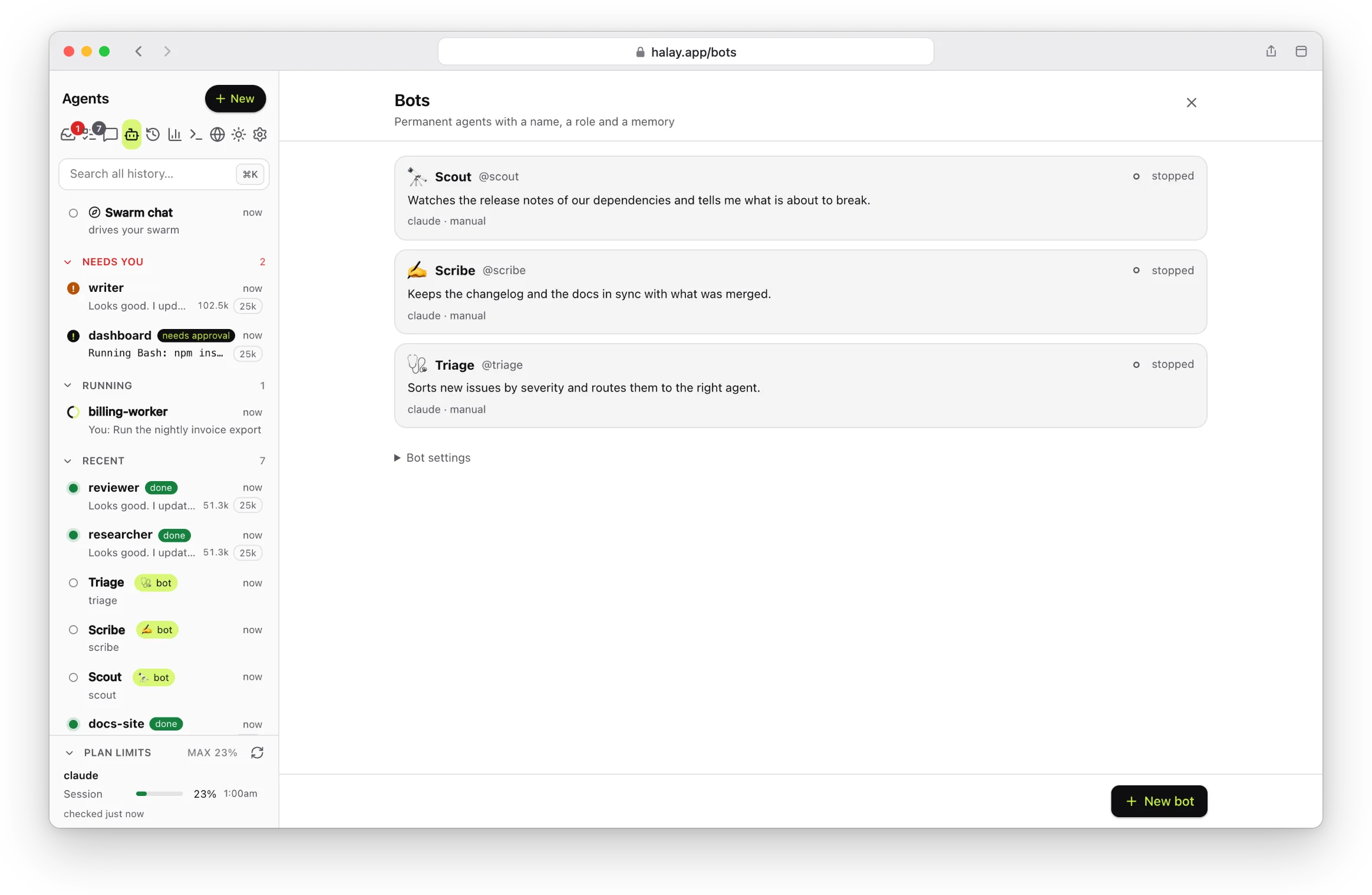
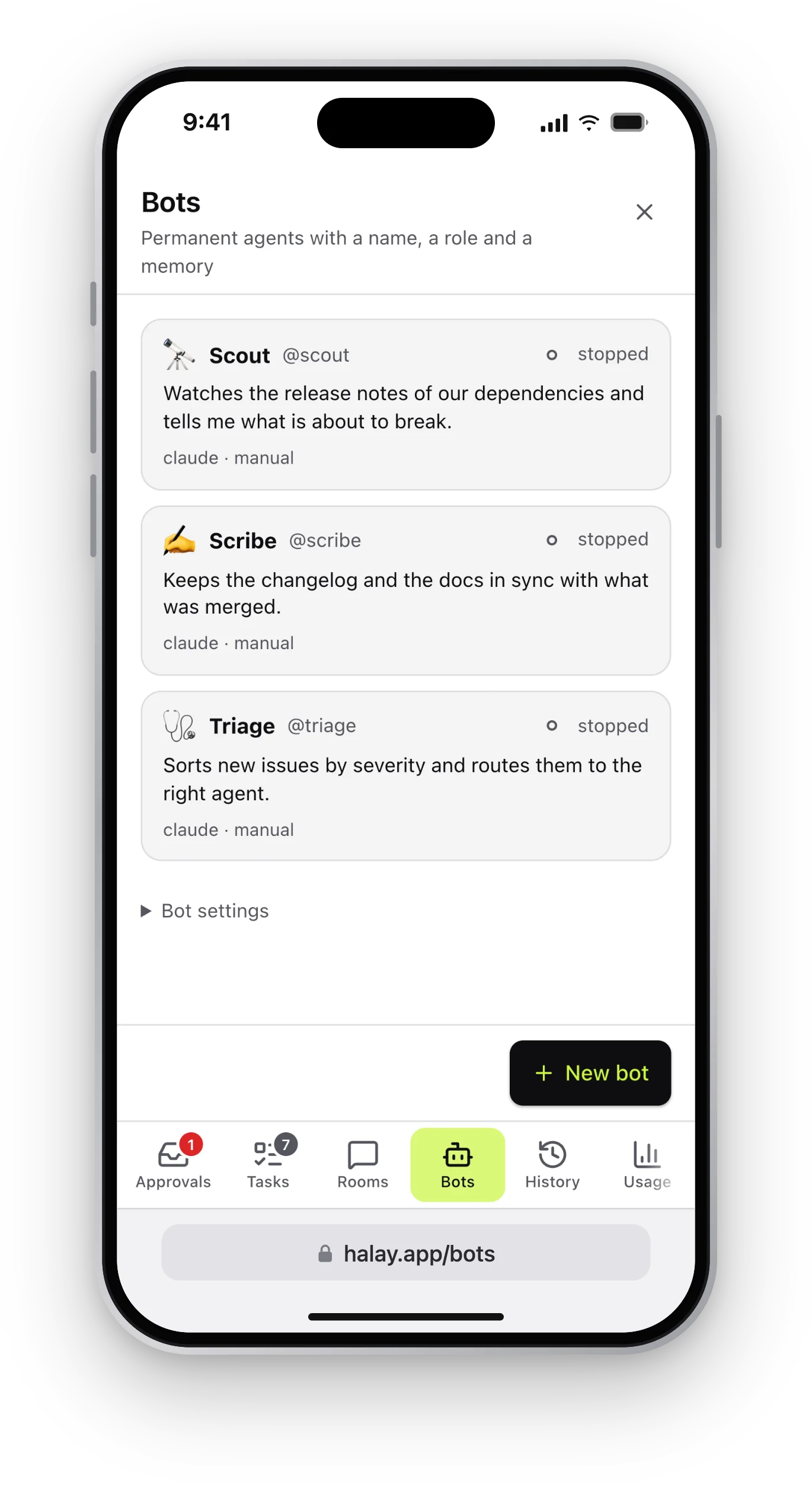 Screenshot placeholder/img/screenshot-bots.webp · 2328×1518
Bots Permanent agents with a name, a role and a memory. Mention them from anywhere.


-
01
Conductor chat
The pinned Swarm chat can see every agent. Ask for a result and it starts agents in any folder, hands out the work, reads back what they did and removes them. It is told to use the cheapest model that can do each job.
-
02
One agent per folder
Each agent is a real CLI process with chat, tool cards, approve / always allow / deny, interrupts and resumable sessions. Agents keep running if the server restarts.
-
03
Git worktrees
Start an agent in a fresh worktree, then review its diff, run a dry-run conflict check and merge it back. It never pushes and never forces.
-
04
Rooms
Group chats where agents hand work to each other with
@mentions, say a researcher, a writer and a reviewer. A per-room turn budget stops runaway loops. -
05
Bots
Permanent named agents with a role, a
BOT.mdidentity file and amemory/folder they keep up to date. Create one, then keep talking to it. -
06
Tasks
A backlog shared by the whole swarm. Tasks can depend on each other, use each other's results, and start by themselves when their last dependency finishes.
-
07
Schedules
Recurring jobs on a cron, in the time zone you pick. Each run is a new agent, and you can be notified only when a run reports something that needs you.
-
08
Peers
Link swarms on several machines, for example a laptop and a Mac mini on one tailnet, and let the conductor drive agents on the other one.
-
09
Browser for agents
Give an agent a real Chromium with persistent logins. Watch the page live and take over the mouse and keyboard when you need to.
-
10
Editor and terminal
A code editor with git diff, and a real shell, in the browser, on the agent's folder. Saves are refused if the agent changed the file in the meantime.
-
11
Usage and context
Tokens and cost per agent and account, a context-size gauge, and a fresh-context handoff so long-lived agents don't get slow and expensive. Watchdogs flag agents that look stuck or looping.
-
12
Plugins
Add agent tools, notification channels (ntfy and webhooks ship built in), API routes and UI blocks without forking.
Also: full-text search over history, past sessions from every folder, light and dark themes with a custom accent, a ⌘K switcher, several accounts per CLI, and a lean mode that loads none of your other MCP servers.
03 From your phone
Approve the command, answer the question, go back to your coffee.
Open halay on your phone over a private network. Sign in with a passkey, get notified when an agent finishes, errors or needs you, and answer its approvals and questions from a card.
- Passkey login for browsers, a secret token for scripts
- Web push, plus optional ntfy or webhook notifications
- Made to sit behind Tailscale or another private network

04 How it works
-
Start the server
Install it once, then run it. It prints a local address. Open it and set up a passkey the first time.
npm install -g @halay/apphalayTo keep it running, so it starts at login (launchd on macOS, systemd on Linux):
halay service installJust trying it?
npx @halay/appruns from npm's temporary cache, and your data in~/.halaycarries over if you install for good later. (halay service installrefuses under npx, because npm cleans that cache.) -
Start an agent
Click New, pick a folder and an agent CLI, and chat. Or tell the conductor what you want done and let it pick.
-
Keep them in step
Approve tool calls, queue tasks, let agents pass work to each other, then review and merge what they built.
05 Agent CLIs
Mix them in one swarm. An agent runs on one CLI, and most of halay works the same on all of them.
| CLI | Notes | Status |
|---|---|---|
| Claude Code | The reference integration: every permission mode, plan approval, effort levels and plan-limit readouts. | Full |
| OpenCode | Its free models need no login; other providers via opencode auth login. | Supported |
| Cursor agent CLI | Log in with cursor-agent login or an API key. Each agent gets its own config folder, so your Cursor settings aren't touched. | Supported |
| Antigravity | Google's agy CLI. Sign in once with Google. It has no plan mode, and a free account has a limited choice of models. | Supported |
These are other people's tools. halay includes none of them, and your use of each follows its own terms and your own plan or API account.
06 Local and open
There is no halay cloud. It is a process on your computer, and it sends nothing anywhere except through the CLIs you installed.
- Your keys stay put. Logins and API keys live with the agent CLIs on your machine.
- Loopback by default. You decide whether and how to open it up. Browsers sign in with passkeys; scripts and agents use a token stored with mode 600.
- You approve the risky parts. Agents ask before they run tools, and an agent can never start another one that is more permissive than itself.
- Read the source. It is Apache-2.0 licensed on GitHub, with an end-to-end test suite that makes no model calls.
Heads up: agents run commands as your user, and the built-in terminal is a real shell. Don't put halay on the public internet. For phone or remote access use a private network with HTTPS, such as Tailscale.
07 The name
Halay is a folk dance from Turkey. People hold hands in a line or a circle and move together, and the dancer at the front waves a handkerchief to set the pace.
That is roughly the job here: a bunch of agents moving in step, and one at the front keeping time. You decide where the line goes.